It is still common for businesses to rely on many disconnected systems to handle different functions - one tool for X, another tool for Y. In 2023, organizations used an average of 1,061 applications, but only 29% were integrated (Salesforce).
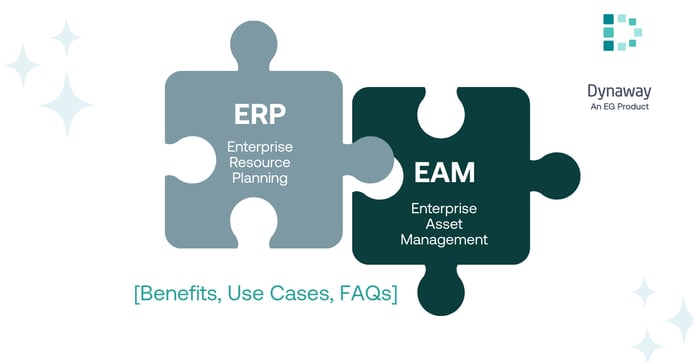
Enterprise Asset Management (EAM) and Enterprise Resource Planning (ERP) are no exception. In many organizations, these systems have traditionally run separately: maintenance teams use standalone EAM/computerized maintenance management systems (CMMS) or spreadsheets, while finance, operations, and other departments rely on the ERP.
While each system serves a purpose, the growing number of disconnected tools can easily get out of control and cause undesirable consequences. This phenomenon, often called “IT sprawl”, creates silos, duplicates data, and makes processes harder to manage.

In this article, we’ll explore why standalone EAM/CMMS can be problematic and how embedding EAM within your ERP (essentially having EAM “live” inside the ERP) delivers numerous benefits.
What is the problem with standalone EAM/CMMS systems? [Siloed EAM/CMMS]
In the context of asset and maintenance management, standalone EAM or CMMS tools are a common choice for businesses - they often seem like a practical approach, easy and quick to deploy, capable of fulfilling their core purpose. Standalone systems do their job – they will help you schedule work orders, track assets, and manage spare parts. But what happens when asset data needs to be connected to finance, operations, or procurement?
This is where the limitations of standalone systems become visible: when EAM runs separately from ERP, updates need to be duplicated across systems. This increases the risk of errors, slows down decision-making, and keeps maintenance disconnected from finance, procurement, and operations.
How is EAM different when it's inside ERP?
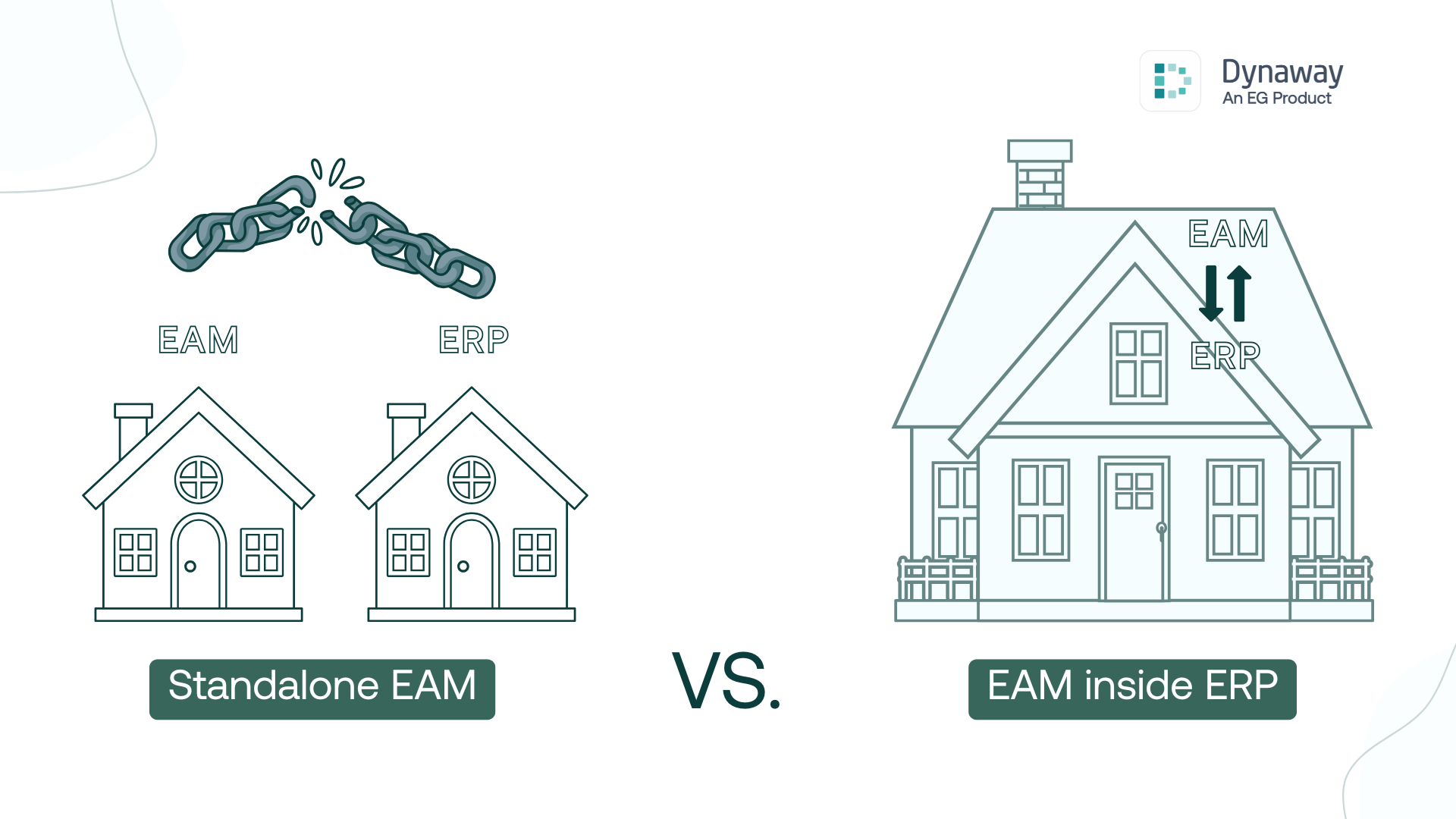
The main difference between standalone vs embedded or built-in EAM lies in how data is managed and shared: a standalone EAM or CMMS keeps asset and maintenance data in its own system, which means that connecting it to finance, procurement, or operations requires integrations or manual updates. In contrast, EAM built into ERP stores maintenance and asset management data in the same system as other core business functions, which allows for a seamless flow of information across departments.
Standalone EAM/CMMS systems handle asset management tasks, but keep information isolated, which can lead to unwanted consequences, e.g., data duplication, errors, and a lack of visibility and accessibility. Nevertheless, standalone tools are often a great fit for smaller businesses with simple operations. They can be the right choice if you need a quick deployment without the complexity of an ERP project, or if your organization does not use ERP at all. In some cases, companies also require highly specialized functionality for a niche area or project, and a standalone EAM/CMMS can be a better alternative in those situations.
Wondering whether standalone CMMS is enough? Read our CMMS vs EAM analysis
That said, when the goal is to achieve seamless alignment between maintenance, finance, operations, and procurement, EAM inside ERP provides a much stronger foundation. In the next section, we focus on the benefits of EAM inside ERP more in-depth.
What are the benefits of EAM inside ERP?
When your EAM system is embedded in your ERP, all information is managed in one place. This provides a single source of truth, which removes data silos and ensures consistency across the organization. Workflows become more streamlined because data flows automatically between maintenance, finance, operations, and procurement. This also makes it easier to understand and control costs. Furthermore, because EAM is already part of the ERP, you avoid complex and expensive integrations and reduce the time and effort required from IT to maintain multiple systems. Finally, with only one system to learn, user adoption is simpler and faster.
With these benefits in mind, let’s look at each of them a bit more closely.
1. One Source of Truth (Accuracy & Data Reliability)
What it means: Embedded EAM stores asset and maintenance data directly in ERP, eliminating silos, duplication, and manual updates across systems.
Why it matters: Poor data quality costs organizations an average of $12.9 million annually (Gartner).
Real-world example: MJ Celco migrated more than 35,000 work orders into Dynaway EAM within ERP, eliminating the need for manual reconciliation across spreadsheets and maintenance records.
Business impact: Real-time updates automatically flow to finance, procurement, and operations. Everyone works from the same reliable dataset, enabling faster reporting, fewer errors, and more confident decision-making.
2. Better Cost Awareness (Financial Visibility & Control)
What it means: All asset-related costs (e.g., labor, spare parts, and maintenance tasks) are captured in the same system as financial data. This creates a complete, centralized financial view of every asset.
Why it matters: Maintenance is a major cost driver. Research shows that 64% of facilities allocate between 5% and 20% of their annual operating budget to maintenance (WorkTrek).Without consolidated data, these expenses are hard to monitor or control, leaving leaders with limited visibility into asset performance and lifecycle costs.
Real-world example: When a technician completes a work order inEAM inside ERP, the system automatically records the task, parts consumed, and labor hours. These entries flow instantly into ERP, where they are connected to depreciation, capitalization, and budgets.
Business impact: Organizations move beyond fragmented or delayed cost reporting. Instead, leaders gain real-time financial visibility across maintenance, operations, and procurement. This makes it easier to control expenses, justify investments, and improve asset lifecycle decisions.
Read more about the financial aspect of the assets.

3. Greater Flexibility (Tailored Insights & KPIs)
What it means: All asset and maintenance data sits in the same environment as finance and operations. That makes it easier to build dashboards that reflect how your business actually runs.
Why it matters: Companies can track a wide range of metrics, such as asset downtime, lost operational hours, or scheduled vs. reactive maintenance, and link them directly to business outcomes like production output, customer order fulfillment, or financial performance.
Real-world example: Food & beverage companies often tailor dashboards to regulatory compliance, while manufacturers may prioritize production efficiency. Because all data is centralized, dashboards and KPIs can be adapted quickly as priorities evolve.
Business impact: Organizations gain flexible, business-specific analytics that remain relevant over time. This ensures reporting supports both immediate operational goals and long-term strategic decision-making.
4. Increased Efficiency and Productivity
What it means: Teams can access asset, maintenance, and financial information in a single system. Workflows that once required switching between platforms or re-entering data are consolidated into one environment.
Why it matters: In 2023, employees spent on average 58% of their workday on “work about work” -duplicated effort, unnecessary meetings, and juggling too many app (Asana). For maintenance teams, this inefficiency translates into delayed repairs, slower response times, and lower overall productivity.
Real-world example: At CountryMark, implementing Dynaway EAM within ERP delivered 100% visibility across all inventory locations. Technicians and managers now access real-time data through analytics dashboards without relying on separate systems or manual reconciliation.
Business impact: Organizations reduce wasted time, improve accuracy, and lower IT complexity by maintaining one integrated system instead of multiple tools. Employees can focus on high-priority tasks rather than repetitive data entry, while streamlined workflows and real-time information directly improve productivity and overall work culture.
5. Avoiding Integration Challenges (Reduced IT Risk & Cost)
What it means: With EAM embedded in ERP, asset management, inventory, and financial workflows run in one system, removing the need for custom middleware, data synchronization, or separate integration projects.
Why it matters: Integration projects are notoriously risky. 88% of all data integration projects fail outright or overrun their budgets and timelines (Ataccama, 2024). By choosing an embedded solution, organizations avoid exposing themselves to this high failure rate and the wasted resources it brings.
Real-world example: Companies running Dynaway EAM inside Microsoft Dynamics benefit from built-in integration. The solution evolves alongside ERP updates, eliminating the disruption and costs that typically accompany integration projects.
Business Impact: For IT teams, this means fewer points of failure, simpler upgrades, and a lower total cost of ownership. For business users, it means data is always real-time and consistent.
6. Easier User Adoption & Training (Faster Learning, Lower Costs)
What it means: When EAM is part of the ERP, employees only need to learn one system. The asset management module uses the same interface, logic, and workflows as the rest of ERP, reducing complexity for technicians, managers, and IT teams.
Why it matters: Training users for IT project is costly. A well-integrated system decreases the learning curve and lowers training expenses, since users don’t have to adapt to an entirely new application environment (Rizing).
Real-world example: Organizations implementing Dynaway EAM within Microsoft Dynamics 365 report smoother rollouts because users are already familiar with the ERP interface. Maintenance teams adopt the solution more quickly, while finance and operations gain access to maintenance data without additional training.
Business impact: Consolidating asset management into ERP accelerates user adoption, reduces training time, and minimizes resistance to change. Employees embrace the system more readily because it aligns with their daily workflows, ensuring faster ROI and long-term system success.
How Does Embedded EAM Work in Dynamics 365?
EAM in Microsoft Dynamics 365 works by integrating maintenance and asset management directly inside the ERP (Business Central and Finance & Supply Chain Management).
Dynaway originally developed the asset management technology now included in Dynamics 365 Finance & Supply Chain Management. Today, Dynaway continues to provide embedded solutions within the Microsoft ecosystem, ensuring organizations of all sizes can manage assets as an integrated part of their ERP.
Here’s a simple overview presenting how embedded solution like Dynaway compares to a standalone EAM or CMMS:
| Built-In EAM (Dynaway) | Standalone EAM/CMMS | |
|---|---|---|
| Database | Shares ERP database → one source of truth | Separate database → syncs cause errors/delays |
| Integration | Native, out-of-the-box | Requires custom, fragile integrations |
| Functions | Uses ERP modules (finance, inventory, operations) | Full suite but overlaps/duplicates ERP |
| User Experience | One login, familiar ERP interface | Separate system, more training, slower adoption |

Use Cases: Do companies really see EAM inside ERP as a requirement?
For some companies, EAM inside ERP is a requirement when selecting a new system, while for others, it may not be considered at first. Yet, once implemented, it is consistently recognized as a clear advantage.
Dynaway customers across industries report measurable improvements in visibility, cost control, and efficiency when asset management is integrated directly with ERP.
📘To explore these real-world examples in depth, download our free eBook.
FAQ
Why choose EAM inside ERP instead of a standalone CMMS/EAM system?
When EAM lives inside your ERP, everything simply connects. Maintenance updates flow directly into finance, procurement, and operations without extra tools or sync jobs. A standalone CMMS can still work but it means juggling another system, another interface, and another integration to oversee and maintain.
What industries benefit most from EAM inside ERP?
Any asset-heavy industry gains value from this setup. Typical adopters include manufacturers, utilities, energy providers, food & beverage, and mining & quarrying companies. They prefer integrated EAM because it gives them a clear line of sight between maintenance, cost, compliance, and production.
Is Dynaway EAM only available for Microsoft Dynamics users?
Yes. Dynaway’s EAM is built specifically for Microsoft Dynamics 365 (F&SCM and Business Central), so it runs natively within Microsoft environment.
Can we keep our current CMMS and integrate it with ERP?
You can. Many companies try this before switching. Just be aware that integrations need care: data syncing, custom mappings, and troubleshooting tend to pile up over time. With embedded EAM, those moving parts disappear because everything runs in one environment.
Is embedded EAM more expensive than standalone systems?
In most cases, no. Standalone systems require extra licenses, integrations, and IT resources. Embedded EAM reduces the total cost of ownership by using your existing ERP infrastructure.
.png?width=388&height=200&name=Copy%20of%20Blog%20Featured%20Image%20(4).png)