Page
Dynaway vs TAG Mobi:

Dynaway vs TAG Mobi: two ways to run EAM in Business Central

Dynaway EAM and TAG Mobi both bring Enterprise Asset Management to Microsoft Dynamics 365 Business Central. They just take different routes.

Dynaway extends Business Central with an Asset & Maintenance Management module, keeping maintenance inside your ERP. TAG Mobi is a technician-first mobile and web experience connected back to Business Central. This guide compares both, so you can choose based on where you want maintenance to live.
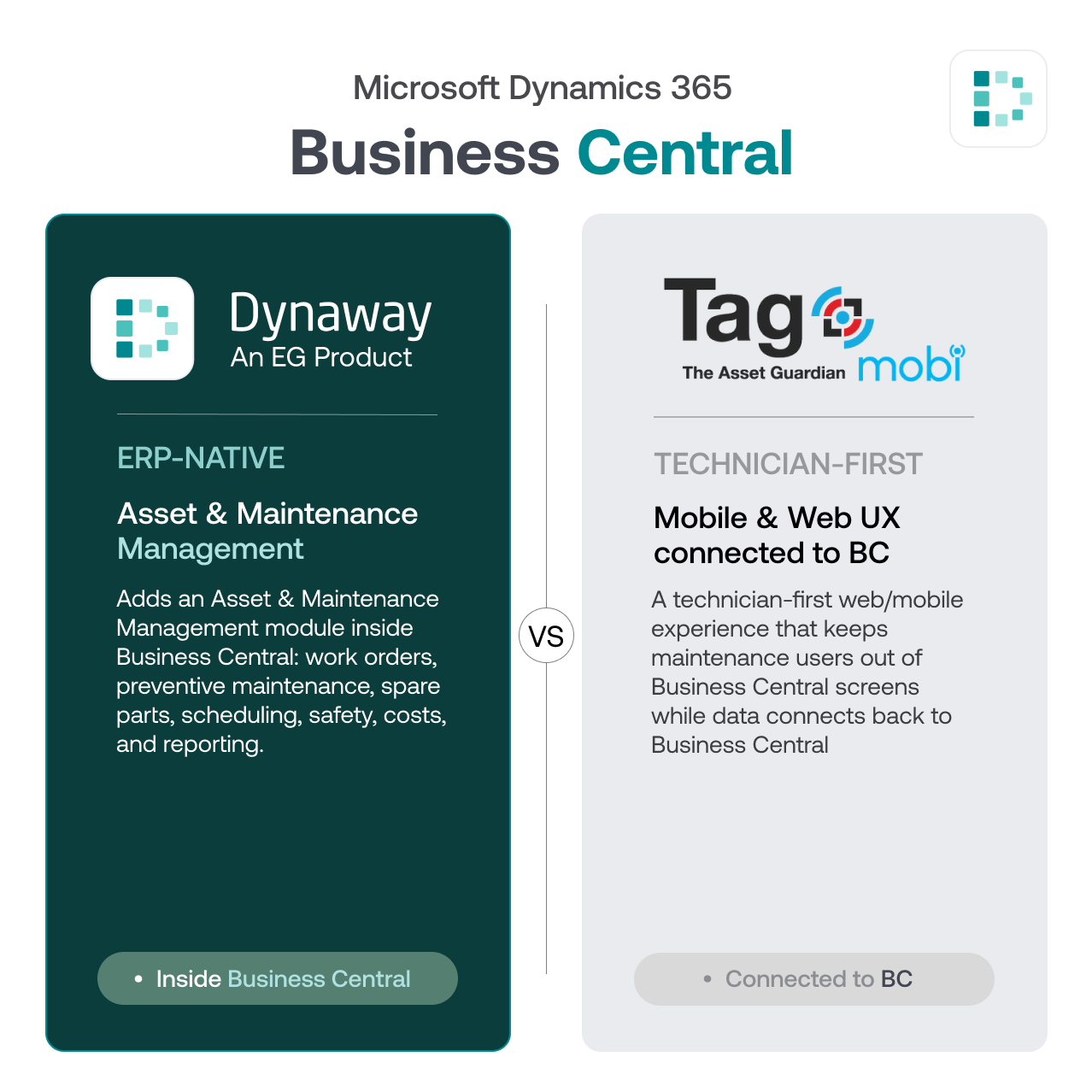
Dynaway vs TAG Mobi visual comparison
What is Dynaway?

The core difference: ERP-native Asset Management vs technician-first execution

Dynaway EAM runs inside Microsoft Dynamics 365 Business Central and extends it with operational Asset & Maintenance Management, keeping maintenance close to asset data, work orders, spare parts, purchasing, costs, and reporting.

TAG is also positioned around Business Central. Its differentiation is TAG Mobi — a technician-first web/mobile experience that keeps users out of Business Central screens while data connects back. This may fit teams that prefer a dedicated technician interface.

Should maintenance run as an ERP-native Asset & Maintenance Management process inside Business Central, or through a technician-first experience layered around it?

    At a glance

      Dynaway EAM TAG Mobi
    Operating model ERP-native Asset & Maintenance Management module inside Business Central. Technician-first mobile/web app connected to Business Central.
    System of record Business Central. Business Central, with technician execution in the TAG Mobi interface.
    Mobile Work Order Power App with offline execution; syncs back to Business Central once online. Native technician app with offline capability.
    Maintenance operations Work orders, preventive maintenance, checklists, spare parts, history, and cost tracking — in Business Central. Work orders, parts control, preventive scheduling, and alerts via the app.
    Inventory, purchasing & costs Native Business Central inventory, purchasing, costs, Excel and Power BI reporting. Connects back to Business Central; depth depends on configuration.
    AI Copilot assistants for setup; more on the roadmap. mobiMentor agentic AI
    IoT & condition-based Sensor/IoT readings via API trigger work orders through thresholds and rules, linked to asset history, parts, and costs. SCADA/sensor signals to work orders with alert-noise suppression.
    Safety Safe Work add-on: permit-to-work, lockout/tagout, safety incident reporting, and risk assessments. Health & Safety add-on: permit-to-work and lockout/tagout.
    Deployment Install from Microsoft Marketplace; a typical setup takes about 10 hours using standard BC configuration packages. SaaS rollout with AI-assisted onboarding.
    Pricing Published per-user pricing: free Starter, Essentials USD 105, Premium USD 155, Light User USD 40. Packages (Standard/Advanced/Enterprise); prices only on request.
    overview

    Get a full overview

    View all features

    Transform Your Maintenance Operations

    Plan, execute, and track maintenance inside Business Central: from work orders and preventive schedules to spare parts, costs, and reporting. Start simple and scale as your maintenance maturity grows.
    Simple Maintenance. Enterprise-grade Control.
    EAM & BC

    One system of record

    Maintenance data connects directly to inventory, purchasing, finance, and Power BI — no separate system to reconcile.
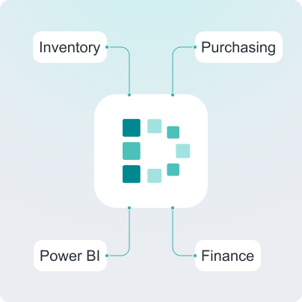
    Dynaway EAM - one system of record

    Built on Business Central

    Familiar Business Central pages and the Power Platform, with Dynaway’s Work Order Power App for the field.
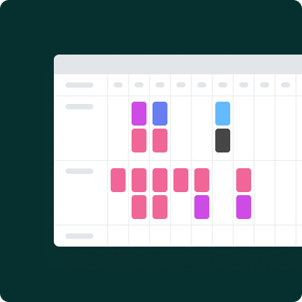
    Dynaway EAM for BC - interface
    Features

    Features

    View all features
    Assisted Setup Dynway EAM

    Assisted Setup

    Step-by-step in-app guide for installation and configuration.
    Seamless Data Integration Dynaway EAM

    Seamless Data Integration

    Out-of-the-box integration with Business Central.

    Information Management Dynaway EAM

    Information Management

    Store and access all documentation in one place.

    Asset Management Dynway EAM

    Asset Management

    Organize your asset registry and track activities.
    Maintenance Planning Dynaway EAM

    Maintenance Planning

    Preventive and corrective maintenance, inspections, and requests.
    Analytics & Reporting Dynaway EAM

    Analytics & Reporting

    Informed decisions on key metrics, with Power BI and Excel.

    Scheduling & Planning Dynaway EAM

    Scheduling & Planning

    Plan activities and workloads effectively.

    Condition-based maintenance Dyanway EAM

    Condition-based Maintenance

    Auto-trigger maintenance from external data and thresholds.

    FAQ

    Frequently Asked Questions

    • Is Dynaway EAM built inside Business Central?

      Yes. Dynaway EAM runs inside Microsoft Dynamics 365 Business Central and extends it with operational Asset & Maintenance Management.

    • How is Dynaway different from standard Business Central?

      Business Central includes Fixed Assets for accounting and cost registration. Dynaway adds operational maintenance management such as work orders, preventive maintenance, spare parts, scheduling, and costs, inside the same ERP.

    • Does Dynaway work for technicians in the field?

      Yes. Technicians can use the Dynaway Work Order Power App, including offline; work orders sync back to Business Central once reconnected.

    • How quickly can Dynaway be deployed?

      Dynaway installs from Microsoft Marketplace, and a typical setup takes about 10 hours using standard Business Central configuration packages.

    • Is Dynaway only for manufacturing companies?

      No. Dynaway suits asset-intensive organizations across many sectors: manufacturing (discrete process and F&B), mining & quarrying, energy & utilities, agriculture & forestry, waste, public administration, transportation, and construction.

    Dynaway EG Product Logo

    See Dynaway EAM inside Business Central

    See how Dynaway EAM extends Business Central with Asset & Maintenance Management. Book a demo to explore how assets, work orders, spare parts, costs, reporting, and condition-based maintenance stay connected inside your ERP

    Book a demo

    Learn how to achieve enterprise-grade maintenance without the complexity

    Get a tailored demo of how Dynaway helps you:

    • ▪️ Avoid production interruptions
    • ▪️ Plan maintenance without chaos
    • ▪️ Respond before downtime happens

    What happens next

    1. You tell us your setup
    2. We prepare a relevant demo
    3. You see your use case in action