Learn Asset Management in D365 from the team behind it
Build the knowledge to use, implement, and improve Asset Management in Microsoft Dynamics 365 Supply Chain Management.
Learn through practical, role-based training led by Thomas Krogh, with more than 20 years of Asset Management experience and over 30 Academies delivered worldwide.
Why learn with Dynaway Academy?
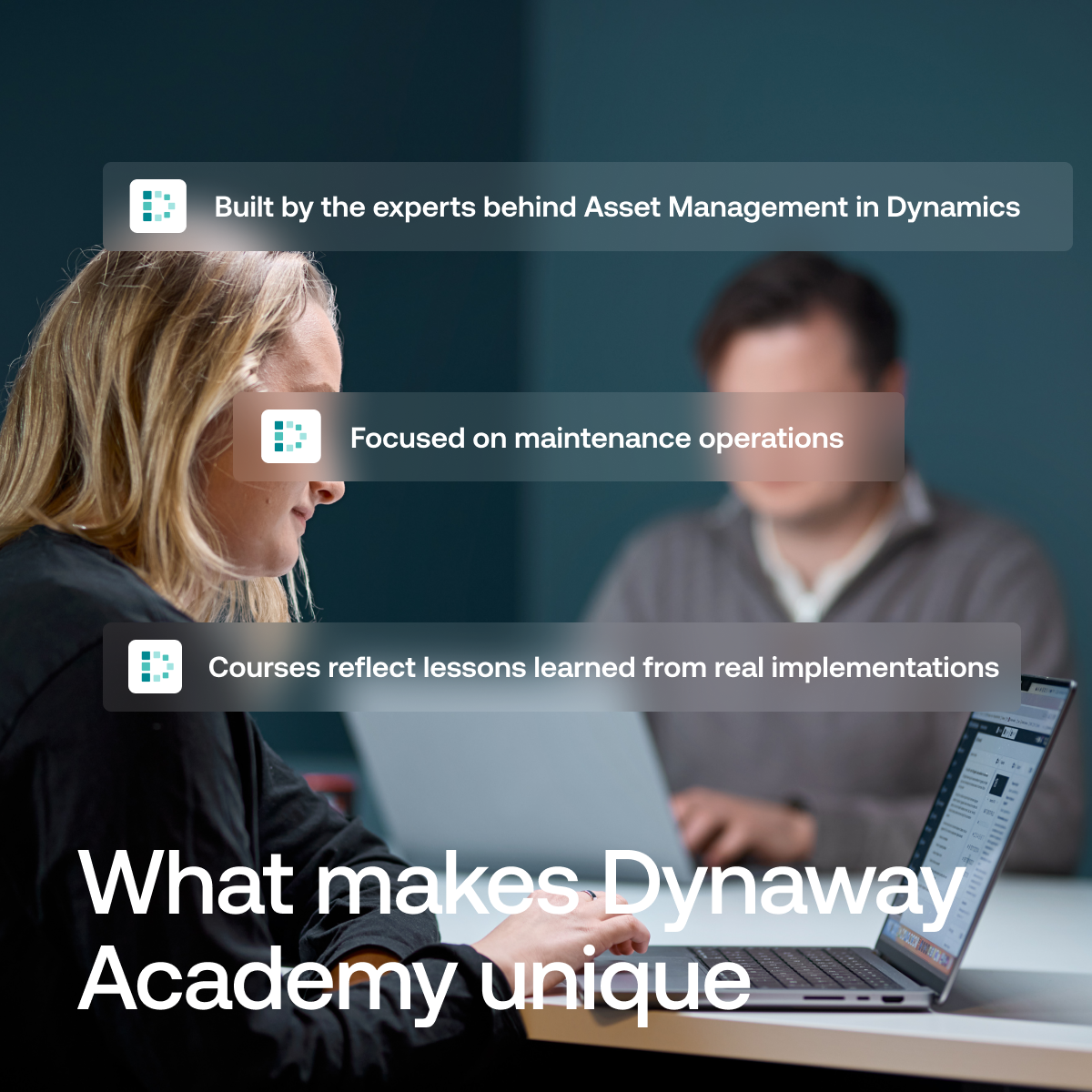
Built by the team behind Asset Management in D365
Dynaway developed the solution that became the Asset Management module in Microsoft Dynamics 365 Supply Chain Management.
Role-based, not menu-based
Learn how planners, technicians, super users, and consultants apply Asset Management in real maintenance processes.
Proven experience
Learn from Thomas Krogh, who brings more than 20 years of Asset Management experience and insights from over 30 Academies delivered worldwide.
A live system is not the same as an effective maintenance process
Knowing where a function is located does not mean users understand how Asset Management should support their daily work.
Dynaway Academy starts with the responsibilities and decisions of maintenance professionals. The training connects system capabilities with the way planners, technicians, super users, and consultants work across the maintenance process.
Participants learn how to:
-
▪️connect asset management, maintenance strategies, planning, scheduling, and execution
-
▪️understand how different maintenance roles use and exchange information
-
▪️identify opportunities to improve existing processes and system use
The objective is not simply to know the system. It is to use it with purpose.
Choose the right AM training format
Asset Management Fundamentals
A three-day, instructor-led course delivered at selected Dynaway venues.
Best suited for: Maintenance planners, super users, subject matter experts, new team members, and professionals evaluating Asset Management.
Participants will:
▪️understand how Asset Management supports different maintenance roles
▪️connect assets, maintenance strategies, planning, scheduling, and execution
▪️work through practical operational scenarios
▪️discuss challenges and approaches with peers from other organizations
Certification included. Max. 10 participants.
Price: $1,495.00
Best when: You want to build a strong foundation, onboard new employees, or challenge how your organization currently uses Asset Management.
Asset Management Bootcamp
Tailored Asset Management training delivered for your organization and based on your processes, roles, and system setup.
Designed for super users, subject matter experts, and end users working directly with maintenance processes.
User the Bootcamp to:
▪️prepare users for a new production site or rollout
▪️align training with your organization’s processes and configuration
▪️review adoption and system use in an existing implementation
▪️identify improvement opportunities and define clear next steps
Best when: You need training built around your operational reality or want a health check of an existing Asset Management setup.
Discuss an Asset Management Bootcamp with one of our CSM.
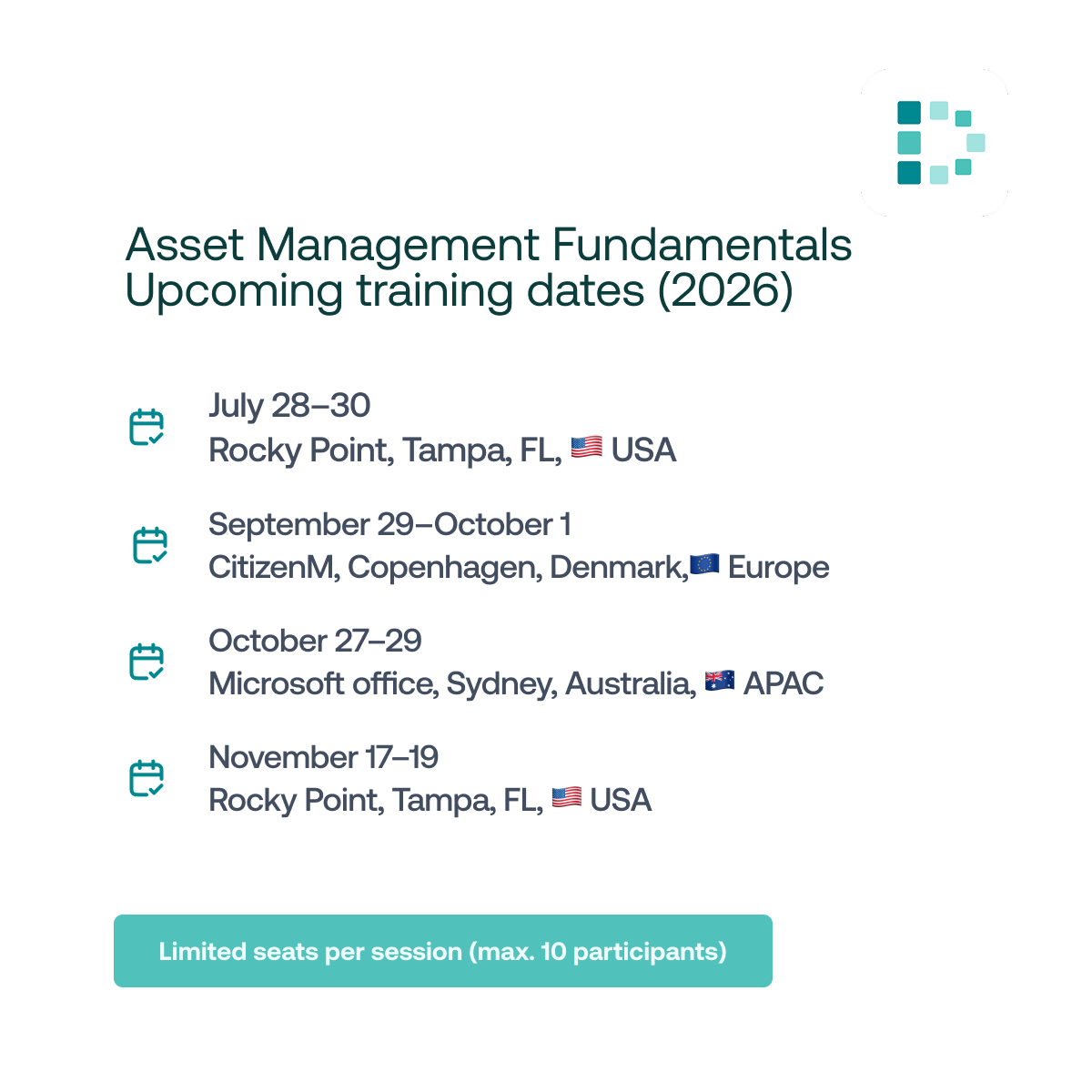
Upcoming Asset Management Fundamentals sessions
Join structured, instructor-led training at a selected Dynaway venue.
Choose the location and date that fits your schedule and learn alongside peers from other organizations.
▫️September 29 – October 1 – CitizenM, Copenhagen, Denmark
▫️October 27–29 – Microsoft Office, Sydney, Australia
▫️November 17–19 – Rocky Point, Tampa, USA
Certification included. Max 10 participants.
Best when: You want to build a strong foundation, onboard new team members, or learn how Asset Management works in practice together with peers.
Build the judgement behind stronger Asset Management implementations
A technically correct configuration is not automatically the right solution for the customer’s maintenance operation.
Dynaway partner training helps consultants understand the decisions behind Asset Management setup, connect configuration with real maintenance requirements, and extend the standard solution where relevant.
Best for: Partners working with Asset Management from implementation to solution expansion with Dynaway add-ons.
Partner training options
Partner Asset Management Delivery
Online training for consultants, solution architects, and presales specialists implementing Asset Management in D365 Supply Chain Management.
Participants learn how to:
▪️design an effective asset structure;
▪️configure requests and work order types;
▪️structure job types and maintenance processes;
▪️manage downtime and maintenance registrations;
▪️apply best practices developed through Dynaway’s implementation experience.
Price: 499 USD per participant
Best when: You are preparing for an implementation, supporting a customer project, or strengthening your team’s Asset Management delivery capability.
Partner Add-on Training
Short, focused sessions to apply Dynaway add-ons in real customer scenarios
Designed for consultants, presales, and sales teams who already work with Asset Management and want to go further with Dynaway solutions.
▪️Get a clear overview of Dynaway add-ons and the challenges they address
▪️Understand how add-ons extend standard Asset Managemen
▪️Improve how you position, demonstrate, and apply add-ons in customer projects
▪️Strengthen confidence in delivering Dynaway solutions alongside implementations
Free to attend
Best when: You want to confidently position, demonstrate, and implement Dynaway add-ons in customer projects.
Frequently asked questions
General
-
What does Dynaway Academy stand for?
Dynaway Academy equips maintenance professionals and Dynamics partners to turn Asset Management in Dynamics 365 into real operational value.
It combines practical training and real-world experience to support everything from maintenance strategy and asset management to planning, execution, and continuous improvement. -
Who is Dynaway Academy for?
The academy is designed to support how different roles work with Asset Management in practice. Such as:
- maintenance professionals and planners
- super users and subject matter experts
- internal consultants and IT teams
- Dynamics consultants, presales, and solution architects
-
What makes Dynaway Academy different from other training?
Dynaway Academy is built on real maintenance experience and practical implementation knowledge. It is delivered by people who implement and work with Asset Management every day. The training focuses on how Asset Management works in real operations, not just system features or setup.
-
Which training options does Dynaway Academy offer?
Dynaway Academy offers four types of training:
- Asset Management Fundamentals
- Asset Management Bootcamp
- Partner Asset Management Delivery
- Partner Dynaway Add-on Training
Each option supports a different stage of learning and use.
Trainings
-
How do I choose the right training?
The right training depends on your role and what you want to achieve:
- Choose Asset Management Fundamentals if you work with maintenance and want to learn the product and how it is used across different maintenance roles
- Choose Asset Management Bootcamp if you want tailored, onsite training based on your organization, processes, and system setup
- Choose Partner Asset Management Delivery if you work with implementing Asset Management solutions
- Choose Partner Add-on Training if you want to understand how Dynaway add-ons extend standard Asset Management and how to apply them in real scenarios
-
What is the difference between Fundamentals and Bootcamp?
- Asset Management Fundamentals is a structured training delivered at a venue with participants from multiple companies
- Asset Management Bootcamp is tailored and delivered onsite, based on your organization, processes, and system setup
-
When should we choose a Bootcamp instead of Fundamentals?
A Bootcamp is a good choice when:
- you want training tailored to your organization, processes, and system setup
- you are rolling out to a new site or location
- you want hands-on training using your own data and real scenarios
- you want to combine super user and end-user training across multiple groups
Fundamentals is still a strong option when you want to build a solid foundation together with participants from other companies.
-
Is the training relevant if we already use Asset Management?
Yes. Many participants join to onboard new employees, improve adoption, or get more value from their current setup.
The training helps align ways of working, strengthen processes, and ensure you are using Asset Management effectively in practice.
Content
-
What will participants learn?
Participants learn how to:
- manage assets and asset structures
- apply maintenance strategies, including preventive and condition-based maintenance
- plan, schedule, and execute maintenance work
- manage work orders and related processes
- use Asset Management in real operational scenarios
-
Is the training technical?
No. The training focuses on how maintenance teams use the system in their daily work, not on technical configuration. -
Is the training practical?
Yes. The training includes real-life scenarios, guided examples, and discussions based on real implementations. -
Do participants receive certification?
Participants in Asset Management Fundamentals receive a certificate of completion based on attendance.
For the other trainings, we may also provide a certificate of attendance.
Logistics
-
How are the trainings delivered?
Depending on the offering:
- in-person sessions at a Dynaway-hosted venue (Asset Management Fundamentals)
- onsite at your organization (Asset Management Bootcamp)
- virtual sessions (Partner trainings)
-
Is there a minimum number of participants?
Yes, Asset Management Fundamentals (on-venue) requires a minimum of 5 participants to run.
If the number of confirmed attendees is too low (for example, fewer than 5 participants or significantly below the expected group size), we may reschedule or cancel the training up to 15 working days before the start date.
If this happens, you will be offered an alternative date or a full refund. -
How long does the training take?
- Fundamentals: 3 days
- Bootcamp: Flexible (commonly 2 days super user training + 2 days end-user training)
- Partner Asset Management Delivery: 2 days
- Partner Add-on Training: ½ day
-
How much does the training cost?
Pricing depends on the training:
- Fundamentals: USD 1,495.00 per participant
- Bootcamp:
- Hourly rate: USD 260/hour
- Fixed day rate: USD 4,250/day (including preparation)
- Delivery Academy: USD 499–599 per participant
- Add-on Enablement: free
For the Asset Management Fundamentals, the price includes:
- Training materials
- 2.5 -3-day training (18 hours in total)
- Best practices within Microsoft Asset Management
- Certification exam on the last day
- Certificate upon successful completion
- Food and beverages during the course
VAT is not included (if applicable).
-
Can multiple people from the same company attend?
Yes. For Asset Management Bootcamp, it is the whole idea to involve multiple users and teams.
It is also a great option for Asset Management Fundamentals, where joining with a colleague allows you to discuss your processes and get more value from the training. -
Can I transfer my seat to a colleague?
Yes, you can, but you need to let us know. -
What happens if a training is rescheduled or cancelled?
We may need to reschedule or cancel a training if there are too few participants or due to unforeseen circumstances.
If this happens:- We will notify you as early as possible
- You will be offered a place on a new date
- If the training is cancelled (not rescheduled), you will receive a full refund
-
What is the cancellation policy?
You can cancel your registration up to 15 working days before the training and receive a full refund.
Cancellations made less than 15 working days before the training are non-refundable.